

As loyal readers of our humble blog, you’ve undoubtedly seen lots of announcements over the last 2 years about the AI Control Tower, a powerful (and uniquely AgilePoint) means by which we can leverage any type of AI to introduce dynamic and self-healing process behavior without heavy AI skillsets and with a level of assurance that can empower even the most heavily regulated of industries.
As this feature has been shown to customers, prospects and analysts alike one recurring theme has emerged:
“Can I layer in this dynamic behavior without the use of AI? What if I just want to call a service?”
If that’s you, your feedback has not only been noted, it’s been acted upon! Today, we are proud to announce that AgilePoint version 10 now supports a REST Control Tower!
How Does It Work?
As mentioned above, this feature enables our customers to call any REST endpoint (even emerging AI platforms!) and introduce dynamic process behavior when required. The configuration is largely similar to our existing REST activity, with new bonus features to automatically improve your operations
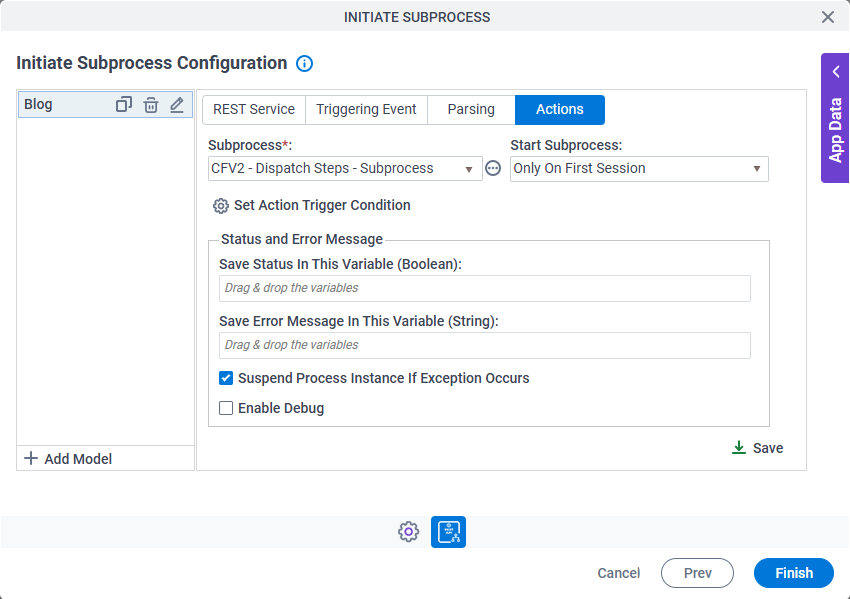
Here are the 4 easy steps:
- Define the REST endpoint for your service
- Pass in the relevant context as variables your AgilePoint app can already access
- Capture the response
- Define how your process should be optimized when your conditions are met.
Which Dynamic Actions Are Available?
Just like you might have seen in AI Control Towers for SageMaker, OpenAI, Gemini and others, this integration will support following actions:
- Adapting the Flow
- Injecting Ad-Hoc Tasks
- Initiating Sub-Processes
- Simply Invoking REST Service
- Sending Notifications
While the main focus of this feature was to empower our customers with the same powerful AI Control Tower capabilities without the need for AI, this does also open up very interesting possibilities for the early adopters of the next AI platform!
With this now in place, your teams can experiment and operationalize AI projects at the speed of emerging AI innovations – no need to wait for us to develop a new Control Tower!
Note: Please note that this screenshot was taken while this feature was in beta. Some of the labels and icons might change by the time it is Generally Available, but the general concept and configuration dialogs will remain the same.