

Looking back at all of the value-added features incorporated in AgilePoint v10, many of them are geared towards the cost-effective, Enterprise-safe adoption of AI. But that doesn’t mean we’ve forgotten to add innovative features to our core product!
Today’s blog entry will focus around various productivity and usability enhancements for one of the crown jewels of AgilePoint – the Work Center!
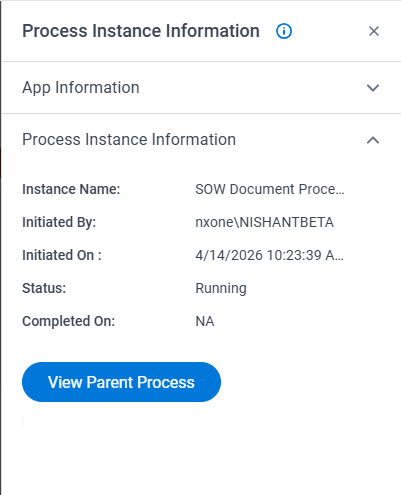
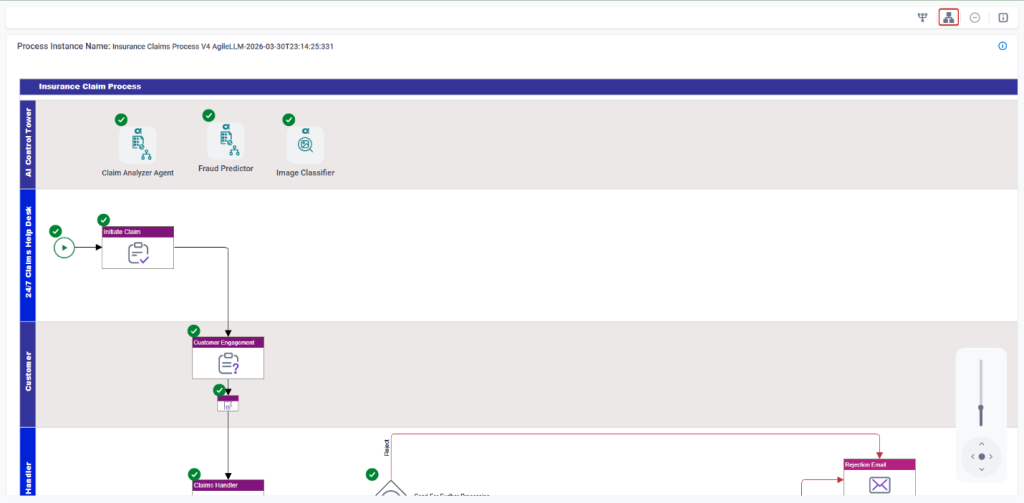
Navigate to Parent Process – Process Viewer
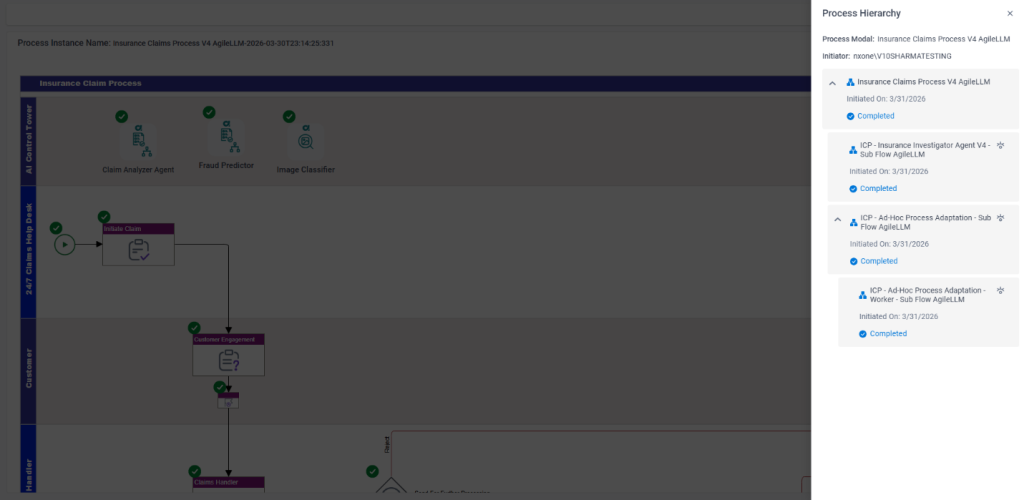
If you’re following AgilePoint best practices, you’re already modularizing your processes into numerous subprocesses. As of AgilePoint v10, we’ve simplified the navigation in the process viewer to allow your users to easily traverse between parent and child processes!
From the process viewer, you’ll see an i icon, which will allow you to navigate to the parent process. Bonus note, you can already navigate from parent to child processes using the same approach!
Bulk Take Assignment of New / Group Task Items
Previously, any tasks assigned to a group of users had to selected individually to take ownership and work on. As of AgilePoint v10, this action is now supported in bulk! Simply select all of the group tasks you’d like to tackle, and they will be moved into your work queue.
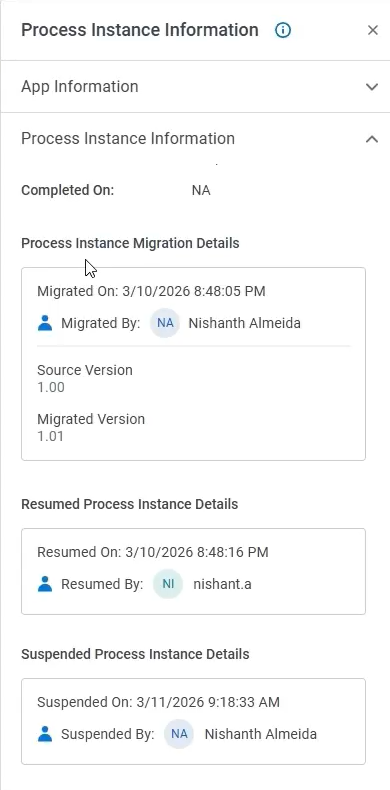
Migration Audit Log Now Available in Process Viewer
The ability to modify in-flight processes is one of the core tenets of AgilePoint’s ability to handle business exceptions, and support continuous improvement of applications – all without impacting the user experience.
Now within the process viewer fly out menu, duly authorized users can see the audit trail for any version migrations, including:
- Source and Target Application version
- When the process was suspended for the migration
- When it was resumed post-migration
- If the process was cancelled
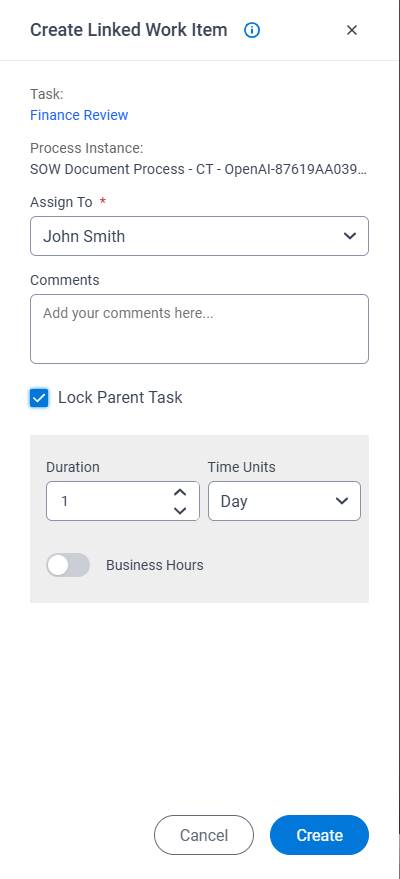
Create Linked Work Item – Lock Parent Task
This is a powerful feature, whether invoked manually by a human or automatically by an AI Agent that allows for advanced control when handling business exceptions. When injecting additional levels of review, this provides the option to halt the typical processing until the exception is handled, at which point the process proceeds as per normal.
Work Center Custom Actions – Logged in User Details Available
The custom actions framework in Work Center is a powerful mechanism to extend the out of the box Work Center and truly make it your own. This feature now supports retrieving the logged in user details within JavaScript methods simplifying user context retrieval to drive custom behavior. This eliminates the need for additional API calls.
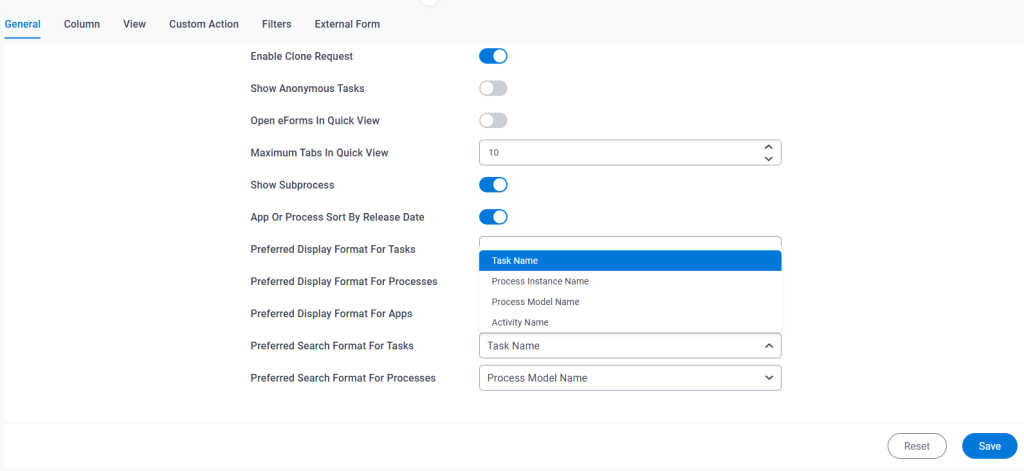
Work Center Default ‘Search By’ Options Now Configurable in Settings
For some time, AgilePoint has provided numerous options to search for Process Instances and Tasks in Work Center. These include:
- Task Name
- Activity Name
- Process Instance Name
- Process Model Name
As of today, AgilePoint customers can now set their own organization level default search option in Settings!
Process Hierarchy Available in Process Viewer
The process viewer is one of the primary visibility related functions that enable process participants and stakeholders to track a process in real time. Starting in AgilePoint v10, users can now explore the process hierarchy when subprocesses exist in an application and navigate to any subprocess from this view.
That’s all for now! Stay tuned for more exciting v10 features in the coming days.